
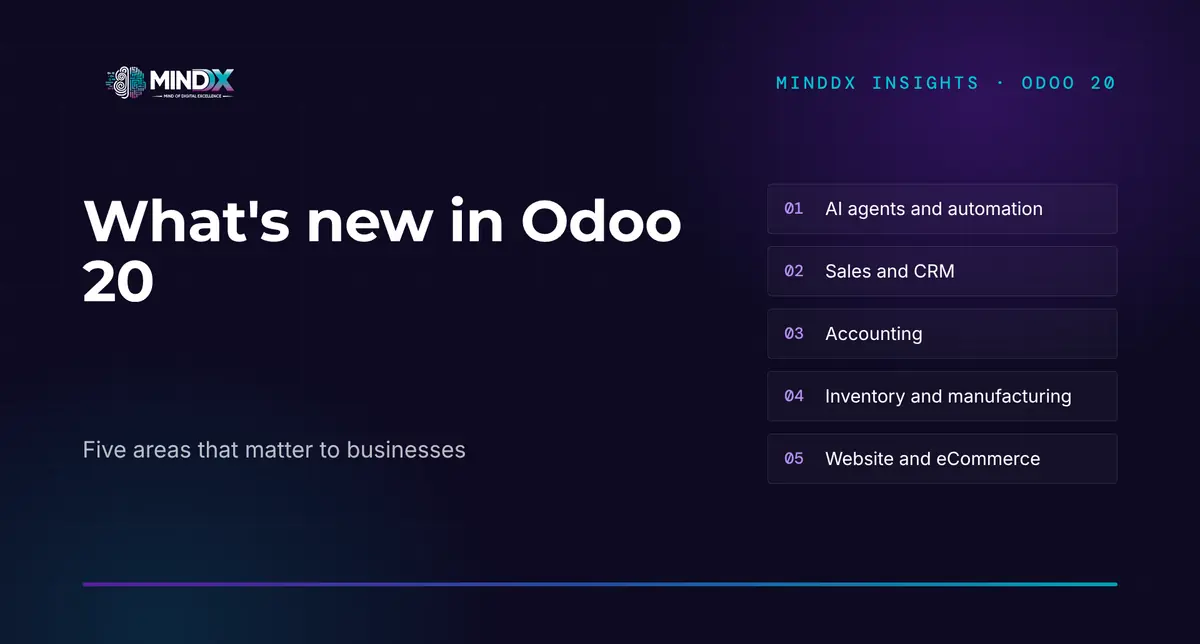
In short: Odoo 20 is the new major release announced with the September 2026 release notes. The most visible change is that AI agents can work inside automations, create and update records, and connect to external systems through MCP. Sales, accounting, inventory, manufacturing and eCommerce also receive a large number of improvements. This article does not repeat the release notes; it picks out the changes that matter to businesses and explains what existing users and companies about to start should each assess separately.
What is new in Odoo 20?
Odoo's release notes list the changes app by app: from the general interface to AI, from sales and CRM to accounting, from inventory to manufacturing, from the website to eCommerce. One common direction stands out in the list: suggestions that reduce repetitive data entry, AI moving into business workflows, and some processes becoming possible with fewer apps installed.
The general interface also brings changes that affect users directly: records can be created and edited while offline, an invoice, an expense or a task can be created by sharing a file from a mobile device, access rights are simplified by removing record rules, and sales orders, purchase orders and invoices can switch between tax-included and tax-excluded prices.
Whether a feature can be used in a given company depends on the version, the hosting type, the subscription plan and the installed apps. The release notes also state separately that some features have been carried back to earlier versions. The headings below are therefore not a checklist but a map of the changes worth assessing.
Highlights in AI and automation
In Odoo 20, AI agents move beyond the chat window. According to the release notes, agents can be run by automated and scheduled actions; they can create and update records, for example generating records from a PDF instruction file; and they can answer questions about a file while it is being previewed. What the agents did during an automation can be reviewed in the chat history; when an agent asks for permission or makes a suggestion, the user responds with buttons.
The instructions and tool sets that define how agents behave are now called «skills». Once an AI provider is selected, Odoo itself chooses the appropriate model for the task. In accounting, the AI assistant can be asked questions about the company's financial position based solely on the accounting data in the database.
For external systems, the most important new capability is that the database can be reached through MCP (Model Context Protocol). We looked in detail at what this means for AI agents and the system of record in our article on Odoo 20 and MCP.
Two qualifications matter. According to the release notes, all AI features use Odoo's in-app purchase (IAP) credits. The Odoo documentation also states that installing the AI app on a database on the Standard plan triggers a move to the Custom plan. In other words, AI is not a feature that simply comes with the licence; it is a layer whose cost and permissions have to be planned separately.
Sales, CRM and customer processes
In sales, the changes that speed up quotation work stand out: quotation sections can be saved as templates and reused, any quotation or order can be turned into a template, order lines can be created with a description only, without being linked to a product, and the margin can be edited directly on the line so that the price is recalculated. A sales dashboard has been added above the quotation and order lists.
In pricing, rules can be defined for specific periods or days of the week, and price rules can be set by packaging type. Sales commission can be calculated on the amount collected; individual targets can be rolled up into managers' commission.
In CRM, the rules for automatically assigning leads to sales team members have been made more detailed, and switching sales pipelines between teams has become easier. A customer's existing subscriptions can be seen from the lead, and upsell and renewal quotations can be created directly from there.
Accounting, inventory and manufacturing
In accounting, entering a vendor bill brings line suggestions based on past bills and on the label. Duplicate bill detection has been strengthened with two warning levels, and the payment wizard tries to prevent double payments by taking pending payments into account. Journal entries that affect bank accounts must now come from bank transactions, and account groups have been replaced by parent accounts.
The changes specific to Türkiye deserve separate attention. The release notes state that the e-Fatura (e-Invoice) scenarios and invoice types have been extended, that e-Archive invoices can be cancelled directly from Odoo, that e-Waybill documents can be sent and received through Odoo, that parent accounts matching the chart of accounts structure of the Turkish Revenue Administration (GIB) have been added, and that severance pay can be calculated in payroll in line with local legislation. According to the notes, the Nilvera e-invoicing integration is available only with Odoo Enterprise.
In inventory, the highlights are inter-company flows (such as delivering one company's order from another company's warehouse), a stock ageing report, a view of stock at a past date, and minimum and maximum stock levels suggested from demand history. Product stock and its accounting valuation can now also be managed without installing the Inventory app.
In manufacturing, work orders can be planned in a new Gantt view that works with drag and drop. With the «continuous production» option, the next operation can start as soon as the quantity produced by an operation is ready; manufacturing orders in progress can be split, and the cost of a manufacturing order is shown as an estimate while the work is under way and as the actual value once it is complete. The traceability report shows the backward and forward trail of lot and serial numbers in a single report.
Website and eCommerce
On the website, the AI assistant can be used to create new pages, edit blocks and forms, and change the menu; blocks generated or modified with AI are marked in the editor. In eCommerce, new features include editing products with AI, automatic cross-sell suggestions, a minimum order quantity, a delivery date chosen by the customer, returns through the portal, and products being unpublished and republished automatically according to stock availability. eCommerce can also run with simplified stock management without the Inventory app installed.
What do these changes mean for businesses?
Odoo 20 reopens three questions for a business. The first is which tasks AI will work on and with which permissions: because agents can create and update records, which data they may access and which operations require human approval have to be defined from the start. The second is whether existing workflows and customisations overlap with the new features: a need that was previously met through custom development may now be covered as standard. The third is which component, and which version, the flows related to Turkish regulation run on.
The answer to these questions differs from company to company. Our assessment is that the real value of a new release lies not in the number of its features but in how little adaptation it needs to fit the company's processes.
What should existing Odoo users assess before upgrading?
Not every existing Odoo user needs to move to Odoo 20 right away; the right timing depends on the hosting type and the version in use. According to the Odoo documentation, each major version is supported for three years; on Odoo Online, upgrades are mandatory at certain intervals, while an installation running on its own server can stay on the same version, although this is not recommended. Before the upgrade decision, the following topics should be assessed with evidence:
- Custom modules: According to the documentation, a database with custom modules cannot be upgraded until those modules have a version ready for the target release. Which modules are really in use, and which are now covered by a standard feature, should be measured first.
- Changed behaviour: Changes such as account groups becoming parent accounts, the removal of the refund wizard and the simplification of access rights can affect reports, permissions and familiar workflows.
- Test database: Odoo recommends requesting an upgraded test database before the upgrade and testing on it. The live system should not be upgraded before the critical processes have been tried on a copy of the real data.
- Local requirements and integrations: e-Document flows, bank connections and integrations with other systems should be tested separately on the new version.
This assessment also shows whether an upgrade is needed at all. For some companies, the right step may not be a version upgrade but improving how the current system is used.
How should a new Odoo implementation be approached?
For a company moving to Odoo for the first time, the new features of Odoo 20 give a head start, but the right order does not change. Processes and data are first described in a shared language; it is established which needs are met by standard features and where adaptation or a change to the process is required. Only once the scope has been validated with this evidence is the implementation planned and priced. A feature of the new release should become part of the project only if it answers a need within the validated scope.
Bringing AI agents in from day one may look attractive. Our assessment is that, for agents to work reliably, clean master data and defined permissions have to be in place first.
The MindDX approach
MindDX starts Odoo projects with measurement. In a new Odoo implementation, Assess examines the processes and needs and records the scope in the Validated Scope document; Implement then runs at a fixed price based on this validated scope. On a live Odoo system, Assess evaluates the current use with evidence before an upgrade or a new development; the outcome may be an upgrade recommendation, or it may be an improvement of the existing system. The details are on the Assess page.
To see how the measure first, decide second approach works, explore the MindDX Platform.