
Pipedrive. Every deal with a clear next step.
Pipedrive is a web-based CRM built for sales teams and aimed at small and mid-sized companies. Deals are tracked stage by stage in a visual pipeline; activities linked to deals, automations and the Nova meeting assistant, included in every plan, keep the team focused on the next step.
A five-step flow: Leads Inbox (leads awaiting qualification); conversion to a deal (linked to a person and an organisation); pipeline stages (the company defines the stages); activities (calls, meetings and tasks are linked to the deal); won or lost (the outcome of the deal).
Fact sheet
- CRM · Sales pipeline management
- Pipedrive Inc. · headquartered in New York · founded in Estonia in 2010
- Lite · Growth · Premium · Ultimate (introduced in 2025)
- LeadBooster · Projects · Campaigns · Web Visitors · Smart Docs
- Cloud (SaaS) · seven data regions on AWS
- Turkish website, pricing page and knowledge base
02Who it is for
Small and mid-sized sales teams.
Pipedrive positions itself as an easy and effective CRM for small and mid-sized companies, and states that larger teams can use it too. The profiles highlighted on its role pages:
03Which business problems it solves
Follow-ups slip, and admin work slows selling down.
Typical problems Pipedrive targets in sales teams:
04Core capabilities
The capabilities needed to manage the pipeline.
Visual pipeline and custom stages
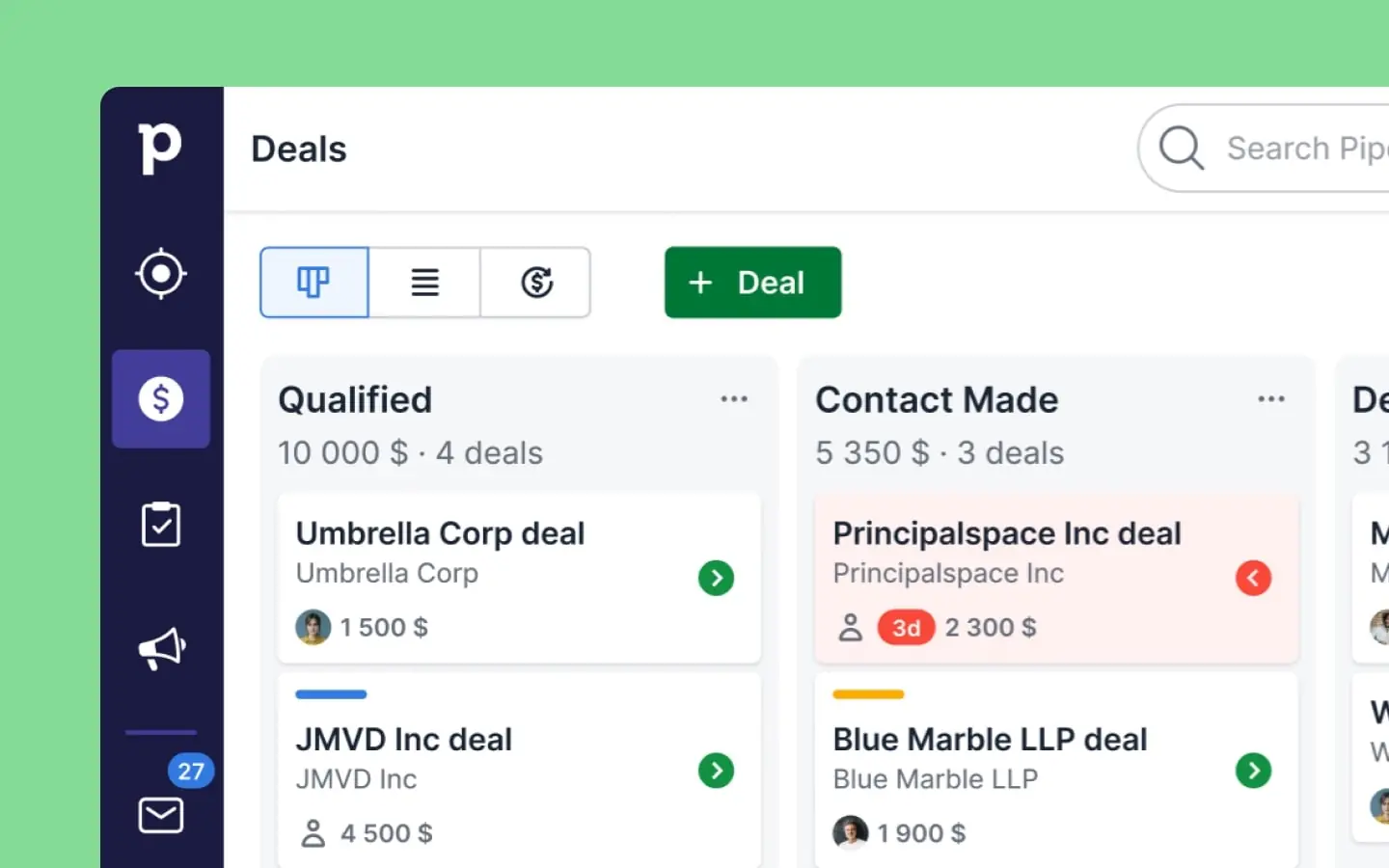
Deals are moved between stages in a drag-and-drop kanban view. Multiple pipelines, custom fields and a product catalogue are supported; the next activity is linked to every deal.
Leads Inbox and LeadBooster
Unqualified leads are kept in an inbox separate from the pipeline and converted into deals when they are ready. The LeadBooster add-on adds the Chatbot, Live Chat, Prospector and Web Forms tools.
Email sync and tracking
Sync with Gmail, Outlook and company email; emails linked to records with Smart Bcc; templates, open and click tracking; calendar sync; meeting scheduling with Zoom, Microsoft Teams and Google Meet.
Event, condition, action
You choose the event that starts the automation, define the conditions and then decide what happens: create a deal or activity, update a record, send an email. Multi-step outreach sequences are built with Sequences.
Insights, dashboards and goals
Revenue forecast, performance, conversion and deal-duration reports; dashboards that can be shared with stakeholders who are not Pipedrive users; goal tracking.
Quotes and contracts with Smart Docs
Quotes and contracts that are filled in automatically with Pipedrive data and can be tracked; e-signature; Google Drive, OneDrive/SharePoint and DocuSign connections.
Projects · Campaigns · Web Visitors
Project management with Gantt timelines (beta) and task dependencies; segmented email marketing; visibility of the organisations visiting your website.
iOS and Android; visibility and permissions
Activity planning and call logging on mobile; visibility groups and permission sets; single sign-on (SSO) and two-step verification.
Images from the product
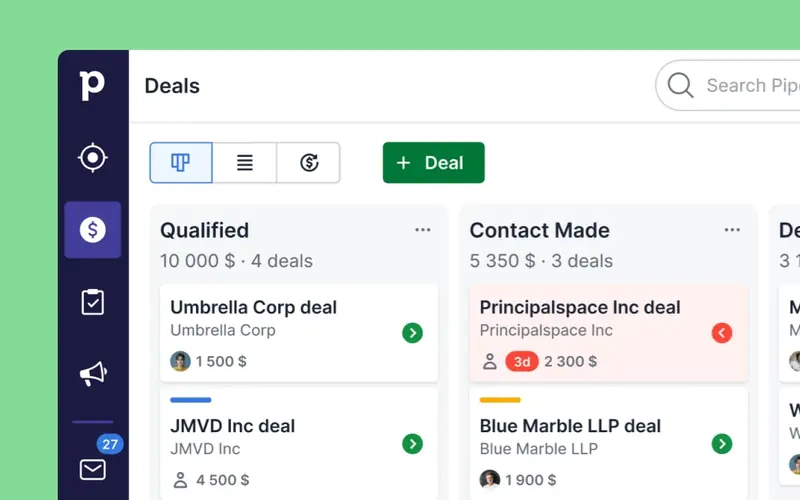
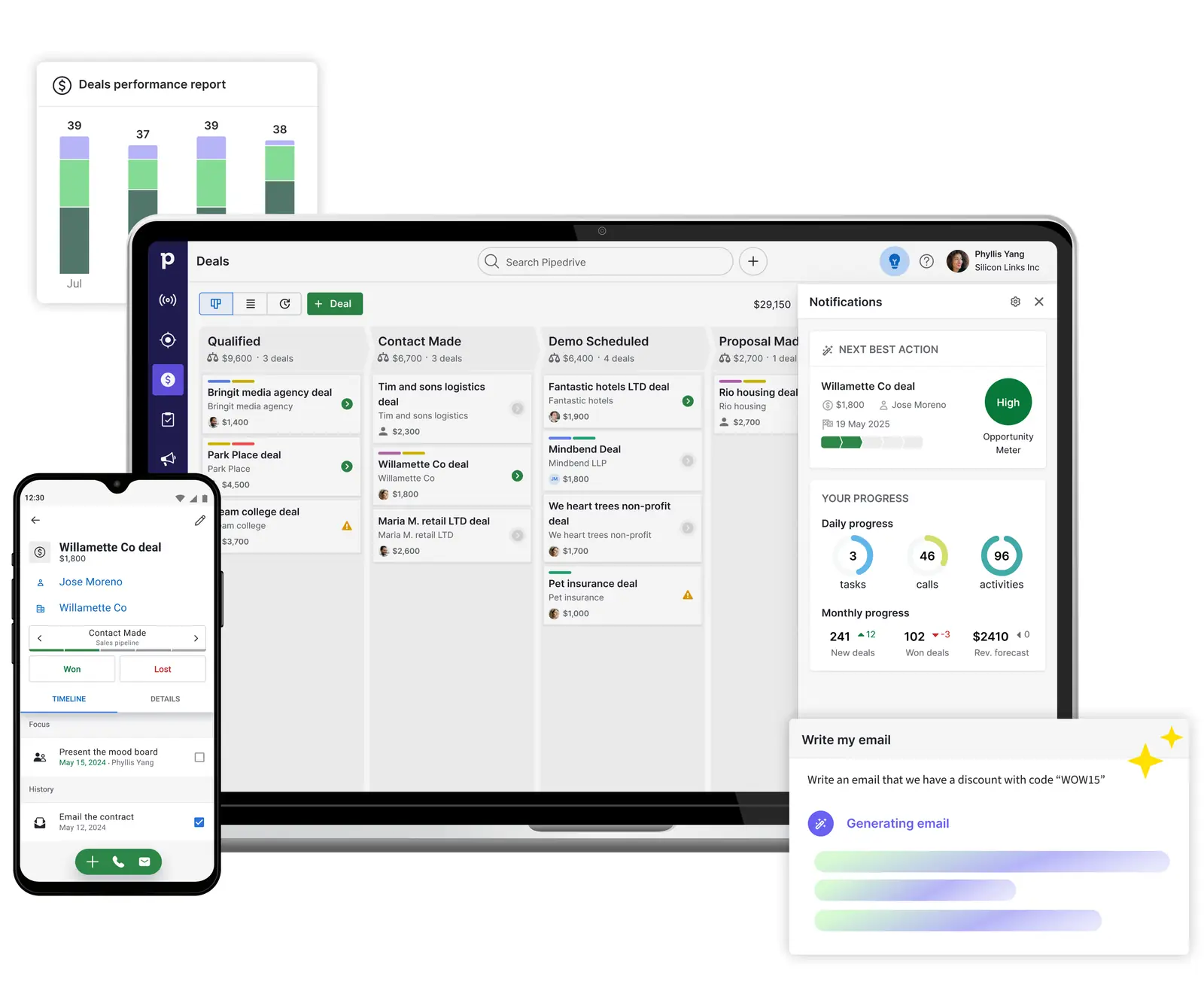
Visual pipeline: every deal in a stage, with its next step. 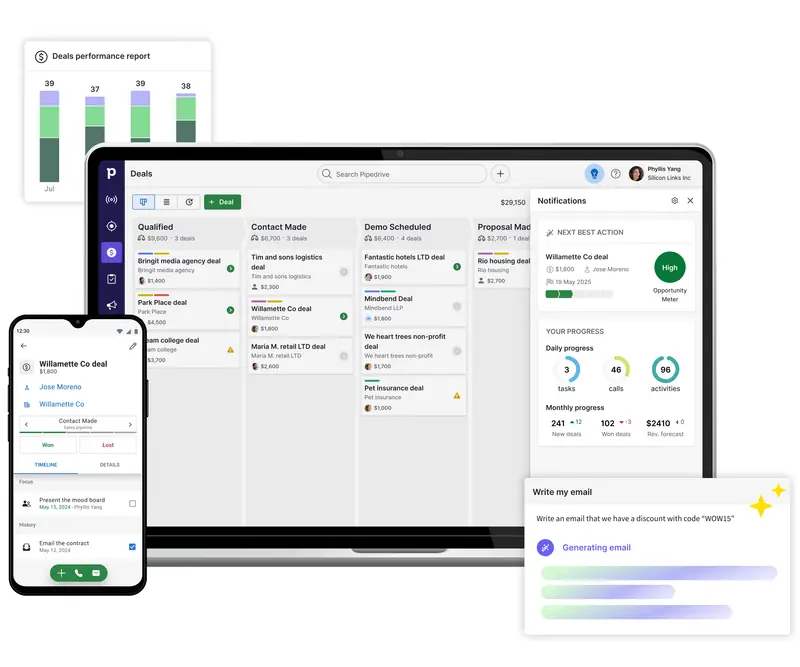
The same pipeline and deal on desktop and mobile.
05How it works
From lead to deal, from deal to outcome.
Pipedrive’s data model and way of working, with the definitions from the developer documentation:
1. The pipeline and its stages are set up · 2. Leads collect in the Leads Inbox · 3. Person and organisation records · 4. Activities are linked to the deal · 5. Automation is switched on · 6. Nova completes the meeting cycle
06Modules and functional areas
Functional areas and add-ons.
The headings on Pipedrive’s product page. Add-ons are tools that can be added to a plan separately; some are included in the higher plans.
- Pipeline managementKanban pipeline, stages and multiple pipelines
- Lead managementThe Leads Inbox and converting a lead into a deal
- LeadBoosterChatbotLive ChatProspectorWeb Forms
- Sales automation · SequencesEvent-based workflows and outreach sequences
- Email sync and trackingEmail sync, templates and tracking
- Reporting and analyticsInsights reports, dashboards and forecasting
- Pipedrive AISales assistant, email generation and summaries
- NovaMeeting assistant; included in every plan
- Pipedrive MCPMCP server for AI assistants
- ProjectsProject management (add-on)
- CampaignsEmail marketing (add-on)
- Web VisitorsOrganisations visiting your website (add-on)
- Smart DocsQuotes, contracts and templates (add-on)
- MarketplaceMore than 500 integrations, according to Pipedrive
- Security and permissionsPermissions, visibility groups, SSO and two-step verification
07Industries
Industry pages.
In its industry hub, Pipedrive publishes separate pages for different industries and company sizes; manufacturing, IT and SaaS are among them. The list below is compiled from the titles of those pages.
08Integration and API
An API on every plan; webhooks, MCP and a marketplace.
Pipedrive’s REST API can be used on every plan; authentication is by API token or OAuth 2.0. Usage is limited by a daily token budget that depends on the plan and the number of seats.
Connection paths: API v2 (REST, API token or OAuth 2.0), Webhooks v2 (40 webhooks per user, not counted against the API budget), the MCP server (on every plan, operations written to the change log), official Node.js and PHP clients. At the centre, Pipedrive and the daily token budget. Extension: a Marketplace with more than 500 integrations according to Pipedrive, app extensions, a developer sandbox with at most five seats.
API v2 and migration from v1
API v2 is the current version; deprecated v1 endpoints are given a migration period of at least one year. There are official Node.js and PHP client libraries.
Token-based daily budget
Daily budget: 30,000 base tokens × plan multiplier (Lite 1, Growth 2, Premium 5, Ultimate 7) × number of seats. When the budget is exceeded, a 429 error is returned; a burst limit also applies in two-second windows, and warnings are sent at 75% and 100%.
Webhooks v2
At most 40 webhooks per user; object changes, including leads, projects and tasks. A failed delivery is retried after 3, 30 and 150 seconds; the timeout is 10 seconds. Webhooks do not count against the API budget.
Built-in MCP server
The MCP server, made available on 30 Jun 2026, lets AI assistants work with Pipedrive data. It is offered on every plan, with plan-based token limits; every operation is recorded in the change log.
Extensions and sandbox
JSON panels, custom UI extensions and in-app actions can be developed; the developer sandbox is limited to at most five seats.
Marketplace and accounting connections
According to Pipedrive’s figures, the Marketplace reaches more than 100,000 companies; Slack, Zapier, Google Workspace, Microsoft Teams, Zoom, QuickBooks, Asana and DocuSign are among the named apps. Apart from QuickBooks, no ERP is named; an ERP connection is scoped as a separate project using the API or webhooks.
09AI and automation
Pipedrive AI, Nova and the MCP server.
Pipedrive’s AI features rest on AI engines the company has developed itself and on OpenAI. The sub-processor list dated 28 Aug 2026 includes Amazon Web Services, Anthropic, AssemblyAI, Recall.ai and OpenAI.
Recommendations, email generation and summaries
Recommendations on high-potential deals and the next step; email drafts from a prompt; email summaries (beta); report creation in natural language.
Priority and win probability
Derives priority deals, win probability and next-step recommendations from CRM data.
Meeting assistant, on every plan
Made generally available on 16 Sep 2026. A briefing before the meeting, a meeting recording, then a summary and draft CRM updates; when the desktop app is used, no bot joins the meeting.
A connection for AI assistants
Offered on every plan, with plan-based token limits; every operation the assistant performs is written to the change log.
Pipedrive states two limits plainly: updates prepared by Nova are not written to the pipeline until you approve them; and, according to the privacy notice, no fully automated decisions with legal or similarly significant effects are made. Which sub-processors the data is shared with should be reviewed separately before the contract.
10Deployment · security · releases
Cloud-based; seven data regions on AWS.
Based on Pipedrive’s security, privacy, sub-processor and usage-limit pages:
Lite: no automations, API multiplier 1. Growth: 50 automations, 5 sequences, 3 conditions per automation, API multiplier 2. Premium: 150 automations, 25 sequences, 10 conditions, API multiplier 5. Ultimate: 250 automations, 50 sequences, 20 conditions, API multiplier 7. Nova and the MCP server on every plan.
11Decision criteria
When it is a strong candidate.
The criteria are derived from the capabilities Pipedrive publishes; whether they hold for your processes is established in Assess.
When it is a strong candidate
Which stages and which data your pipeline is built with is established with evidence in Assess.
12Questions
Frequently asked before a decision.
Answers about the product rest on the vendor’s official sources; for the current state, see the sources section.
Pipedrive has a Turkish website, a Turkish pricing page and a Turkish knowledge base. The UI language is chosen per user; the coverage of the Turkish UI should be verified in a trial account.
Accounts are hosted in one of seven regions on AWS. Under the assignment rule, non-EU Europe and EMEA customers are in the United Kingdom (London) region by default; there is no separate region for Turkey. The exact location must be confirmed in writing before the contract.
Yes. The REST API can be used on all plans; usage is limited by a daily token budget that depends on the plan and the number of seats. The MCP server is also offered on all plans.
On the accounting side, the official pages show a QuickBooks integration and Marketplace categories; no other ERP is named. The connection is scoped in the Design phase as a defined project using the REST API or webhooks.
Pipedrive is a pipeline-based CRM focused on managing leads, tracking sales activities and closing deals. The whole sales process is followed on a visual pipeline that highlights the key opportunities.
According to Pipedrive, creating and updating deals, assigning leads to the right rep, sending follow-up emails, scheduling activities and tasks, and updating pipeline stages can all be automated. Ready-made templates cover common workflows.
Yes. Pipedrive can send follow-up emails based on triggers such as a new deal being created or a deal reaching a given stage. Sequences combine automated emails, manual emails and follow-up activities into one structured outreach.
According to Pipedrive, no: third parties may not use client data to improve or train AI models, and Pipedrive does not use it for its own models without the client’s permission. The AI subprocessors it uses are in its published subprocessor list.
Pipedrive has no free version; its plans can be tested with a 14-day free trial, and any number of colleagues can be invited during the trial.
Through its Marketplace, Pipedrive integrates with hundreds of business apps such as Slack, Zapier, Google Workspace, Microsoft Teams and Zoom. These connections let CRM data flow into the tools the team already uses.
As a Pipedrive partner, MindDX sells licences and provides implementation services. Assessment, design, integration scoping, training and support are also among the roles it can take on; which of them it takes on in your project is written explicitly into the proposal, together with the validated scope.
This page gives no product price, licence, edition fee or duration. They are shared by a consultant after the scope has been validated.
13Related content and sources
Related solution categories
Related insights
All insightsSources and verification
14How to start with MindDX
The road to this product does not start with the product.
The CRM decision is made in your processes, not in a demo. Assess shows, with reasons, whether the need is met by standard capability and settles what changes, why and in which order as a validated scope; the implementation proposal comes out of that scope.
As a Pipedrive partner, MindDX sells licences and provides implementation services. Which roles MindDX takes on in your project — licence, assessment (Assess · Checkup / Discover / Audit), fit / gap analysis, solution design, implementation, integration scoping, process redesign, training and support — is written explicitly into the proposal, together with the validated scope.
Pipedrive is not a MindDX Platform module and there is no technical integration between the Platform and Pipedrive. The Platform governs selection and readiness with evidence: assessment, requirements, evidence, BPMN design and decision → design → test → acceptance traceability.
MindDX Platform