
Odoo. One database, as many apps as you need.
Odoo is a business application suite with an open-source core that brings 50 main apps, including CRM, sales, inventory, manufacturing, accounting and HR, together on one platform. Apps are added as needs arise, and all of them run on the same PostgreSQL database. The current major release is Odoo 20, published in September 2026.
At the centre, a single PostgreSQL database; around it, the app groups that share the same data: Sales and CRM, Finance, Inventory and Manufacturing, Human Resources, Services, Website and e-commerce.
Fact sheet
- ERP · Modular business applications
- Odoo S.A. · Belgium
- Odoo 20 · September 2026
- Community (LGPLv3) · Enterprise (subscription)
- Odoo Online · Odoo.sh · on-premises
- l10n_tr localisation · e-documents with Nilvera (Enterprise)
02Who it is for
Businesses that start with one app and grow step by step.
Odoo addresses businesses at four scales: micro (1–5 employees), small (6–50), medium (51–250) and large (250+). The user groups highlighted on the product pages are:
03Which business problems it solves
Every function in a separate tool; the data complete in none of them.
The problems Odoo targets are ones every growing business knows: disconnected applications, manual data entry, unbalanced stock, paper-based production and country-specific fiscal obligations.
04Core capabilities
Apps that work on the same data, from sales to accounting.
Kanban sales pipeline
Stages are managed by drag and drop, opportunities are opened automatically from incoming emails and quotations are prepared from the catalogue. Revenue forecasting, dashboards and AI-assisted lead scoring are in the same app.
Replenishment rules and multi-warehouse management
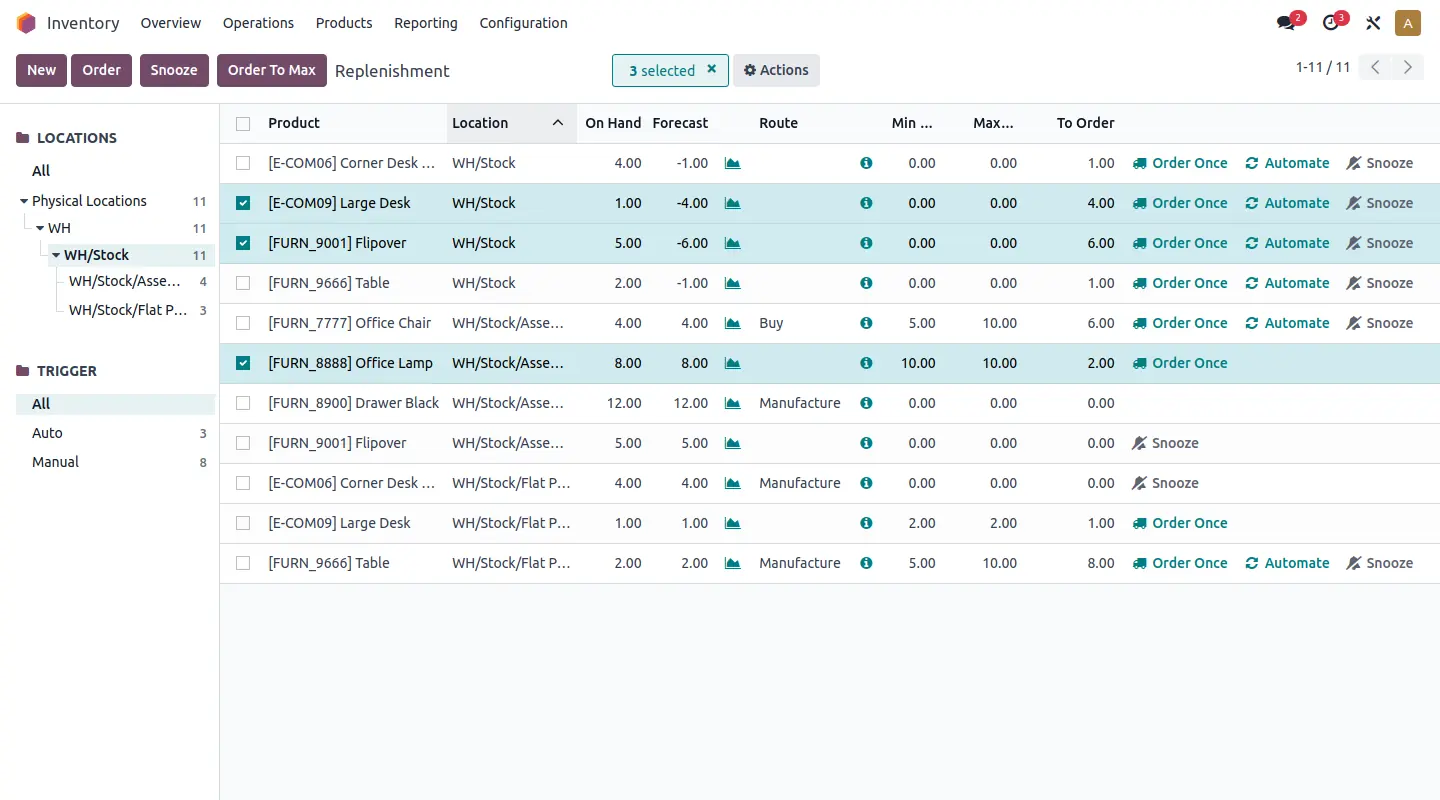
Min–max and MTO rules, push/pull routes, GS1 barcodes, serial/lot tracking and cycle counting. Stock valuation uses FIFO, average cost, LIFO or standard cost.
MRP, MES, PLM, quality and maintenance on one platform
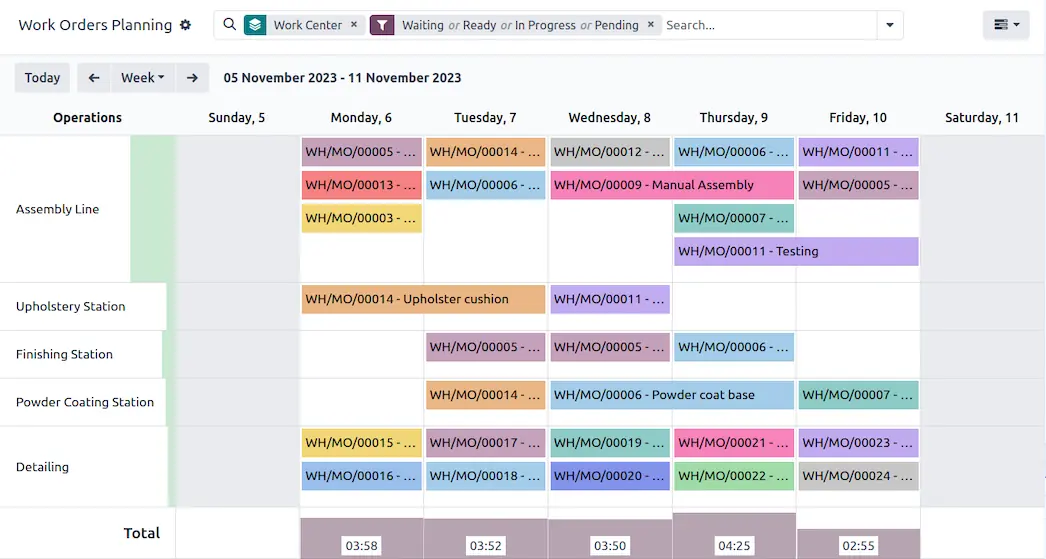
Finite-capacity planning and Gantt, the master production schedule, by-products and traceability. On the shop floor, the tablet-based Shop Floor, a barcode app that works offline and the IoT box are used.
Accounting, invoicing and e-documents
AI-assisted invoice capture, bank synchronisation, automatic reconciliation and real-time reports. EDI formats including Peppol, and country-specific fiscal localisations.
From employee records to payroll
The Employees, Recruitment, Time Off, Appraisals, Payroll, Referral and Fleet apps. With Odoo 20, Turkish payroll also covers severance pay, 1003B and R&D centre incentives.
Website and online shop
Website, eCommerce, Blog, Forum, eLearning and Live Chat; product, stock and order data is held in the same database as the back office.
Projects, time tracking and field service
Project, Timesheet, Field Service, Helpdesk, Planning and Appointments; requests, tasks and time entries are tracked on the same customer record.
No-code customisation with Studio
Editing fields, views and reports; automated actions triggered by record changes, webhooks and approval flows. Odoo states that these can be done without writing code; in pricing, Studio sits under the Custom plan.
Images from the product
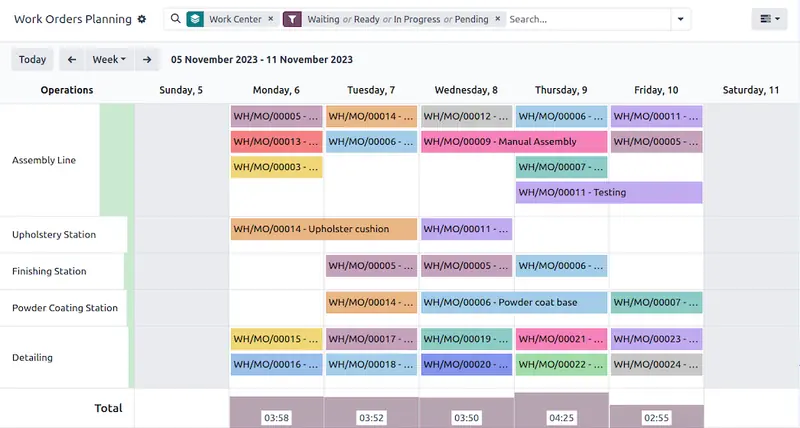
Manufacturing: work-order planning by work centre. 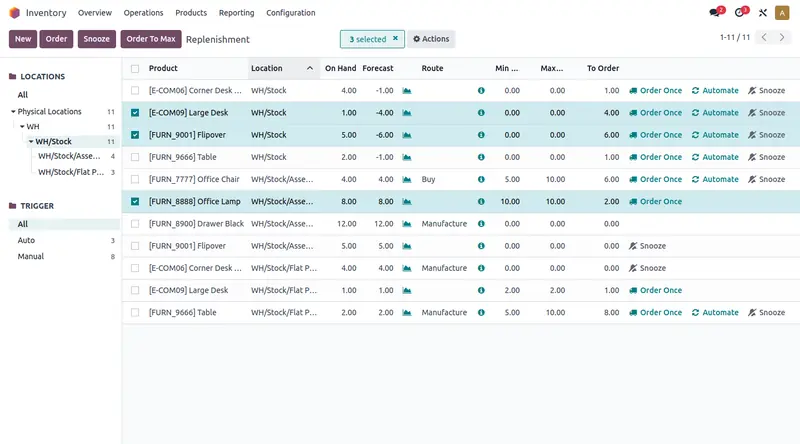
Inventory: replenishment rules and order suggestions.
05How it works
One need, one app; all in the same database.
Odoo’s operating model is simple: apps are added as needs arise, all of them share one PostgreSQL database, and the Enterprise edition is built on top of the Community core.
1. An app is installed for each need · 2. Data stays in one place · 3. The process is adapted with Studio · 4. Deep customisation is done with modules · 5. Reports are generated from live data
06Modules and functional areas
Nine app groups, one platform.
The nine groups on Odoo’s «All Apps» page are listed below with the app names you will see in the interface. Which edition and plan an app is offered in should be confirmed against Odoo’s edition comparison table.
- WebsiteWebsiteeCommerceBlogForumeLearningLive Chat
- SalesCRMSalesPoint of SaleSubscriptionsRental
- FinanceAccountingInvoicingExpensesDocumentsSpreadsheetsSignESG
- Inventory & ManufacturingInventoryManufacturingPLMPurchaseMaintenanceQuality
- Human ResourcesEmployeesRecruitmentTime OffAppraisalsPayrollReferralFleet
- MarketingMarketing AutomationEmail MarketingSMS MarketingSocial MarketingEventsSurvey
- ServicesProjectTimesheetField ServiceHelpdeskPlanningAppointments
- ProductivityDiscussApprovalsInternet of ThingsVOIPKnowledgeAI
- CustomizationStudio
07Industries
Industry pages under eleven headings.
Odoo publishes more than a hundred industry pages under eleven headings in its industry directory. On the manufacturing side there are pages such as metal fabrication, custom furniture and textile manufacturing. The directory’s headings:
08Integration and API
JSON-2 API, webhooks and the MCP server.
In Odoo 20, external systems connect in three ways: the JSON-2 API, webhooks defined in Studio and the MCP server for AI clients. The old XML-RPC and JSON-RPC endpoints are on a removal schedule; external API access depends on the plan.
External systems connect to Odoo in five ways: in-house applications with the JSON-2 API and a scoped API key; webhook sources with the incoming URL created in Studio; AI clients with the MCP server at the /mcp address; GİB e-documents in UBL-TR format, with the Nilvera integration offered only in Enterprise; the old XML-RPC and JSON-RPC connections, for their part, are on a removal schedule. Odoo is extended with Odoo Apps modules, Studio and the IoT box.
JSON-2 API
Requests are sent by POST to /json/2/<model>/<method>; authorisation uses a bearer API key in the Authorization header. The key’s scope can be restricted; each call runs as a single transaction.
Migration schedule for XML-RPC and JSON-RPC
The db service was removed with Odoo 20 and Odoo Online 19.1. The common and object services will be removed on Odoo Online with release 21.1 (winter 2027) and on Odoo.sh and on-premises installations with Odoo 22 (autumn 2028).
Incoming and outgoing webhooks
In Studio, an incoming webhook URL is created for an automated action; outgoing webhooks send data to an external system through an automated action when a record changes.
MCP server for AI clients
External AI tools connect by appending /mcp to the database URL. Access is granted with an MCP-scoped API key; the tools that can be used are defined as server actions.
External API on the Custom plan only
The One App Free and Standard plans have no external API access; for projects that need integration, the plan is chosen accordingly.
EDI, bank connections and the app store
EDI formats by country and Peppol; for Turkey, UBL-TR 1.2.1 and Nilvera. According to Odoo’s figures, synchronisation with 28,000 banks and more than 40,000 community apps.
09AI and automation
AI that works inside the apps.
Odoo offers AI not as a separate add-on but inside the apps in use. With Odoo 20, agents became able to create and update records; the model is selected automatically and voice input is supported.
Agents that create and update records
An agent is defined with a role, instructions and knowledge sources. Which operations it can perform is determined by the skills (Skills) assigned to it.
Natural language, voice input, automatic model selection
The user asks questions in natural language, searches for records or has text generated; Odoo 20 brought voice input and the automatic selection of the AI model for the task.
Controlled access for external assistants
The MCP server lets external AI assistants call server actions defined in Odoo; access is limited by the scope of the API key.
Invoice capture and lead scoring
In accounting, extraction of invoice data and bank matching, and automatic classification of documents; in CRM, AI-assisted lead scoring.
According to the Odoo 20 documentation, an agent with no skills (Skills) assigned can only provide information; the authority to create and change records is granted through the assigned skills. According to the release notes, all AI features use credits purchased through IAP.
10Deployment · security · releases
Three hosting options, two editions.
The hosting model directly determines the depth of customisation and the integration options; the plan should be chosen together with this decision. Plan and edition names are the names Odoo uses.
Odoo Online: SaaS operated and updated by Odoo; it receives the intermediate SaaS releases and does not support custom modules. Odoo.sh: PaaS integrated with GitHub; it offers custom modules and test environments and requires the Custom plan. On-premises: infrastructure and operation are yours, one database is linked per subscription, and it requires the Custom plan.
11Decision criteria
When it is the right candidate.
The criteria below are derived from the capabilities Odoo publishes; whether they hold for you is established in Assess.
When it is a strong candidate
Which apps are rolled out, in what scope and in which order is determined in your processes, not in a demo.
12Questions
Frequently asked before a decision.
Answers about the product rest on the vendor’s official sources; for the current state, see the sources section.
Odoo Community is the free, open-source edition licensed under LGPLv3; Enterprise is built on top of this core. Enterprise includes additional functions, functional support, version upgrades and hosting. Odoo states that you can switch between editions at any time.
According to the Odoo 20 documentation, the Turkish localisation covers the e-Fatura, e-Arşiv, e-İrsaliye and e-Defter processes; documents are transmitted in UBL-TR 1.2.1 format through the private integrator Nilvera. The Nilvera e-Fatura integration is now offered only in Enterprise. Odoo 20 also added support for stamp duty, the MERSIS number and bidirectional e-İrsaliye. Odoo states that this documentation does not constitute legal advice.
There are three options: Odoo Online, Odoo.sh and on-premises. Odoo.sh and on-premises are offered only on the Custom plan; Odoo Online, in turn, is not compatible with custom modules. The right option is established in Assess, together with your customisation needs and your integration plan.
The db service was removed with Odoo 20. The common and object services will be removed on Odoo Online with release 21.1 (winter 2027) and on Odoo.sh and on-premises with Odoo 22 (autumn 2028). New integrations should be written with the JSON-2 API, and existing ones migrated before these dates.
According to Odoo, besides access to the apps, the plans include hosting, incremental daily backups on two continents, email integration, security, 24/7 monitoring and a control centre for managing the environment. Email support is given on weekdays in English, French, Spanish and Dutch, and the eLearning platform is included.
According to Odoo, the Custom plan is for companies that want to manage several companies in one database and to adapt Odoo with Studio, agentic AI, custom development or the API. Installing Studio or adding companies to the database moves the account to the Custom plan automatically.
According to Odoo, anyone with back-end access who creates, views or edits documents is a paying user, and so is an employee record that is not linked to a user account. Customers and suppliers who use the portal are not paying users.
According to Odoo, Odoo Online and Odoo Enterprise (on-premise or Odoo.sh) are the same software; only the hosting and infrastructure differ. A database backup can be downloaded from the control centre at any time, and on-premise users must run the latest stable version.
It means external software, such as legacy systems or reporting engines, calling the Odoo API to query, retrieve or update data stored in Odoo. When the call starts from Odoo, for example to reach a payment provider or a carrier, it does not count as “External API”.
As an Odoo partner, MindDX sells licences and provides implementation services. Assessment, design, integration scoping, training and support are also among the roles it can take on; which of them it takes on in your project is written explicitly into the proposal, together with the validated scope.
This page gives no product price, licence, edition fee or duration. They are shared by a consultant after the scope has been validated.
13Related content and sources
Related solution categories
Related insights
Sources and verification
14How to start with MindDX
The road to this product does not start with the product.
The ERP decision is made in your processes, not in a demo. Assess shows, with reasons, whether the need is met by standard capability and settles what changes, why and in which order as a validated scope; the implementation proposal comes out of that scope.
As an Odoo partner, MindDX sells licences and provides implementation services. Which roles MindDX takes on in your project — licence, assessment (Assess · Checkup / Discover / Audit), fit / gap analysis, solution design, implementation, integration scoping, process redesign, training and support — is written explicitly into the proposal, together with the validated scope.
Odoo is not a MindDX Platform module and there is no technical integration between the Platform and Odoo. The Platform governs selection and readiness with evidence: assessment, requirements, evidence, BPMN design and decision → design → test → acceptance traceability.
MindDX Platform